
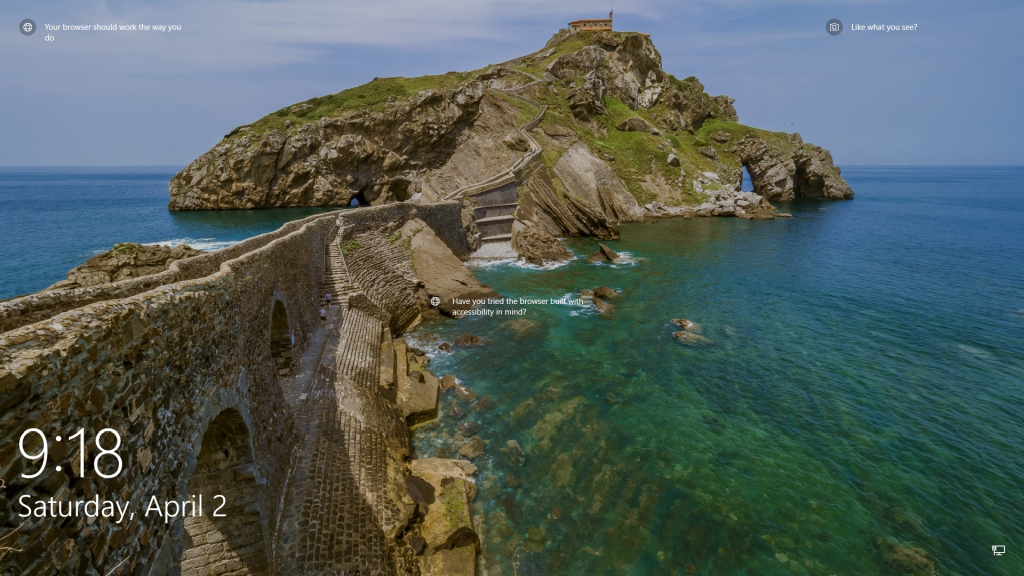
This was today’s Window’s Spotlight image. As is frequently the case, Windows chose today to not give us a link directly to the image in the center of the lock screen. They are promoting another Window’s product as is all too frequently the case. The link on the upper right just gives you some generic information about the Cantabrian Sea, as if that is a clue as to what the image is of.
Doing a search for Cantabrian Sea, Spain windows 10 spotlight doesn’t even get you close to finding a match. So today I have to take a screenshot of the lock screen, save it to my system and then do a Google image search for the image in question. I do this pretty regularly because I’m virtually suicidally curious on most days. I want to know who the photographer is. I want to know the location. I want to know everything about the image that I can find out.
Unfortunately Google has broken image search and wants us all to use Google Lens instead. Lens also identifies the photo as the Cantabrian Sea based on the fact that I named the screenshot cantabrianseaspain having no idea what else to call the damn thing besides the throwaway names of test or stuff, dozens of which are usually in my temporary file folders. I’m not going to accept the default screenshot# name that the Windows wants to give it, there are hundreds of those in the same temporary folders. I really should clean those out one of these days.
If you scroll down in the results of your useless Google Lens search you will discover that Google helpfully offers to run the search again using the old Google Image Search that mercifully hasn’t been taken down or put behind a paywall yet. The first few times I tried this search after the switch to Lens I raged at the screen for several minutes trying to get the stupid search to give me results that were informative in any real way. It was after the third or forth try at using Lens that I noticed the link to the old image search hiding at the bottom of the search results.
Lens has improved on the desktop site, at least. This time I noticed a link at the top labeled “find image source” which is the thing I’m generally looking for when I do image searches.
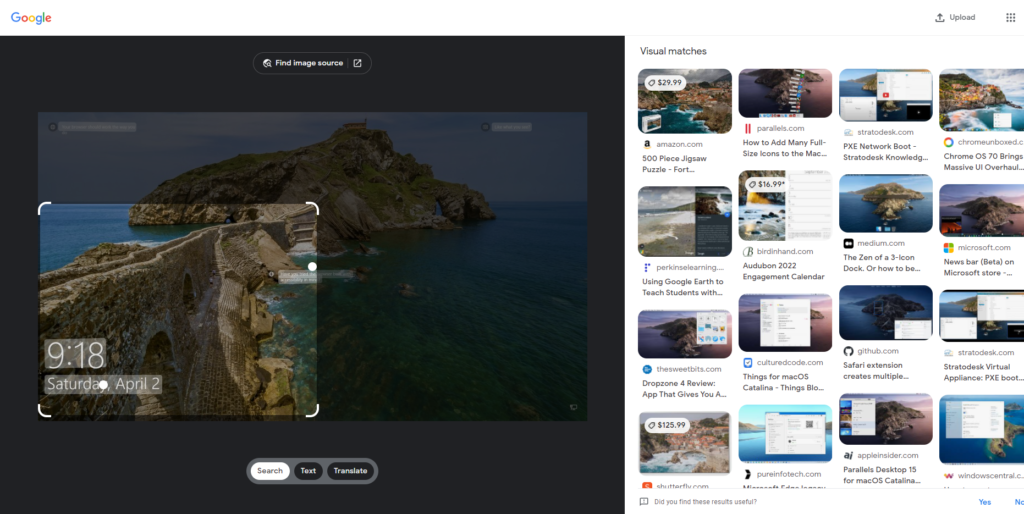
They identify it as the Urdaibai Estuary which is only slightly less enigmatic than Cantabrian Sea. Under that result the old Google Image Search results can also be found if you scroll down. Google may not be on a downward spiral into insignificance yet after all.
In any case, the answer to the burning question of where is Gaztelugatxe:
Gaztelugatxe is an islet on the coast of Biscay belonging to the municipality of Bermeo, Basque Country (Spain). It is connected to the mainland by a man-made bridge. On top of the island stands a hermitage (named Gaztelugatxeko Doniene in Basque; San Juan de Gaztelugatxe in Spanish), dedicated to John the Baptist, that dates from the 10th century, although discoveries indicate that the date might be the 9th century. With another small neighboring island, Aketx, they form a protected biotope that extends from the town of Bakio to Cape Matxitxako, on the Bay of Biscay.
Wikipedia
Now the Bay of Biscay I’ve heard of before even if I’ve never heard of and won’t even attempt to pronounce Gaztelugatxe. Not even on a bet. Featured in season seven of Game of Thrones. Still haven’t seen it (sorry George) but San Juan de Gaztelugatxe looks like a place that might be interesting to visit. Time to find a version of the image that I can use on Pinterest since I have a board that I collect these kinds of images on there. Again, a Windows spotlight search yields one image of the path from the other direction, but not the one of the island that made me want to go there. It’s taken from a specific location next to the bridge to the island with the tides low but not at their lowest.
There are thousands of other shots of the island from both directions but none of them from the specific direction and location shown in the image. The whole process is so maddening that I get up and decide to take a walk.
Postscript
In October I run across the above text as a draft still sitting in the editor.
Wait. Why didn’t I publish this…? In looking back across the time that had passed to the search that had come up empty previously, I ran into the same dead end that sent me out on a walk in April. It took a bit to find the unaltered image from my own files and then I did another search only to discover that it is exclusively on istockphoto.com. I’m not paying them just to post a photo on Pinterest. The board is going to get the screwed up version. Oh well.
Google has further broken Google image search. They’ve taken out the ability to add text character strings to an image you are searching for. This was a handy tactic to hone in on the specific versions of the image you were looking for. Lens now either finds the image from approved sites, or it tells you that the image doesn’t exist. Why would I use Google’s image search then? If I find an image on the internet and Google image search tells me it doesn’t exist, why would I trust that service?
I miss the old Google image search that worked; but as much as I miss the image search that worked, it never actually did what I wanted it to do in the first place. What I wanted was to know who took the photo, what time of year they were there and where they stood at to take it. What kind of equipment they used. What the surrounding scenery is looks like. Travel options and history.
This was stuff that I used to be able to find using the old Google image search, but wasn’t stuff that wasn’t actually offered by the service itself. This Lens thing that replaced the search that worked just sends me to crap sites that don’t tell me anything and generally don’t have the matching image. Totally useless.
feedback to Google
Tineye found exactly where the last image I was searching for was first recorded as being on the internet despite Google search’s insistence that the image didn’t exist on the internet. There is another service that is currently running at the URL image-search.org that offers to look up photos that you upload to their site on any of a number of reverse image search platforms. It found the image that was the subject of this article through a Yandex search and it even located the image on the site that I frequently use to feature images from Windows Spotlight. Yandex found it on that site even though I looked there at the time and could not manipulate the search there to find it. Give image-search.org a try the next time you want to try to find an image that you find interesting. I’m definitely going to be doing that from now on.
